Did someone already give the dog her pill?
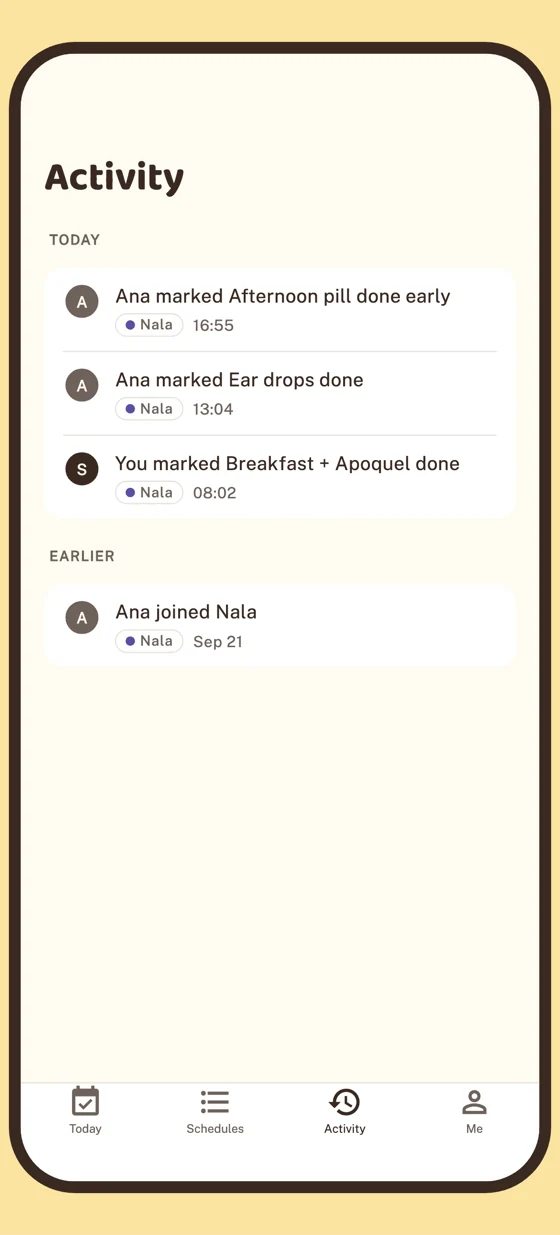
Ana did, at 16:55.
Samebell is reminders that ring on everyone's phone. Whoever does it taps Done. The others get a calm note saying who and when, and their reminder doesn't ring. Sam knew without asking. Use it on your own, or invite the people who help.

Free, on iPhone and Android.
Ana16:55, on her way out. Taps Done early.
SamSame reminder. 17:00 comes, nothing rings.
One day, two phones
Sam and Ana share a schedule for Nala, their dog. Same reminders, at the same times, on both phones. Here's what each phone did on Sunday.
Breakfast + Apoquel
1 tablet with food
High prioritySamRings. Sam taps Done on the notification.
AnaRings too, then hears about it.
Sam's got it · Breakfast + Apoquel at 08:02. Carry on.
Ear drops
4 drops, left ear
SamRings, then hears about it.
Ana's got it · Ear drops at 13:04. Carry on.
AnaDone · 13:04
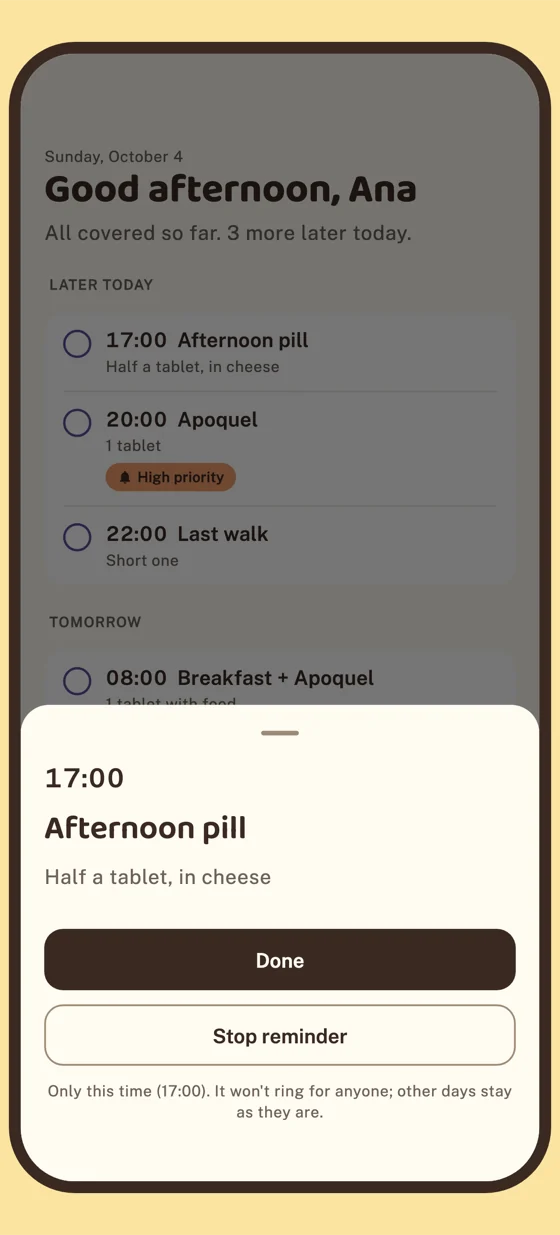
Afternoon pill
Half a tablet, in cheese
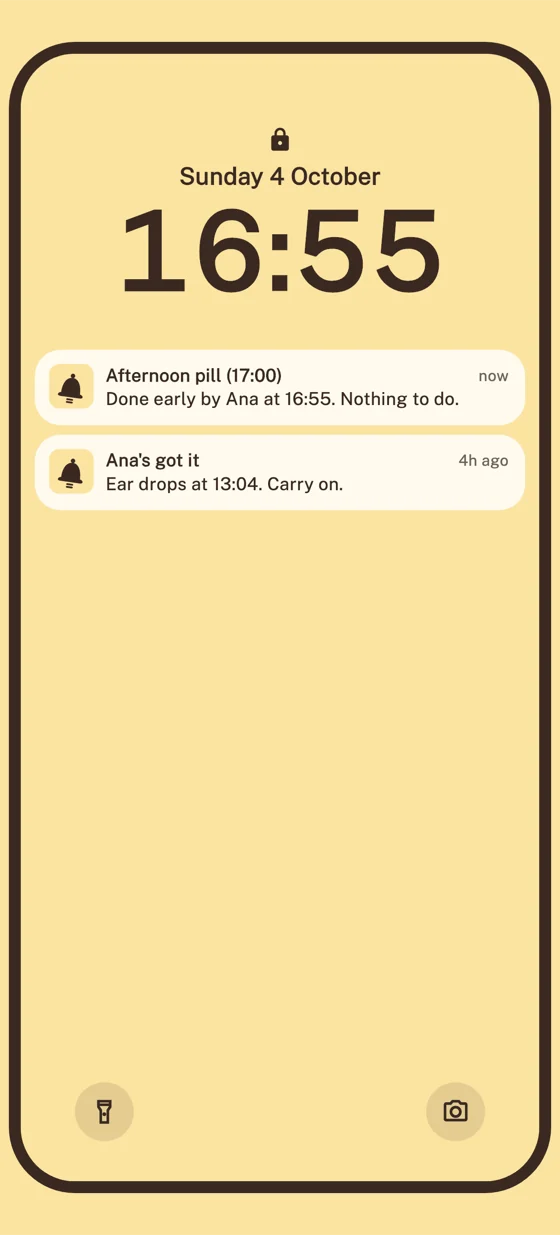
SamDoesn't ring.
Done early by Ana at 16:55. Nothing to do.
AnaDone early · 16:55
From Today, on her way out.
Apoquel
1 tablet
High prioritySamDone · 20:01
Sam's phone was in Focus. High priority can get through.
AnaA normal notification.
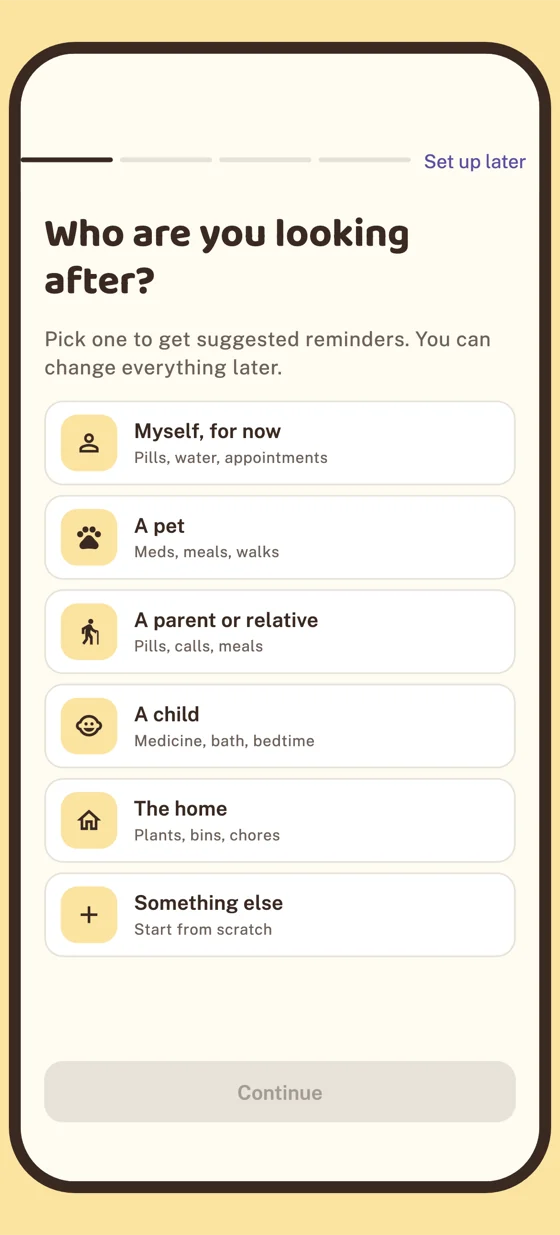
Ana set Nala to “Normal only” on her phone this week.
Last walk
Short one
SamRings, then hears about it.
Done by Ana · 22:06
AnaDone · 22:06
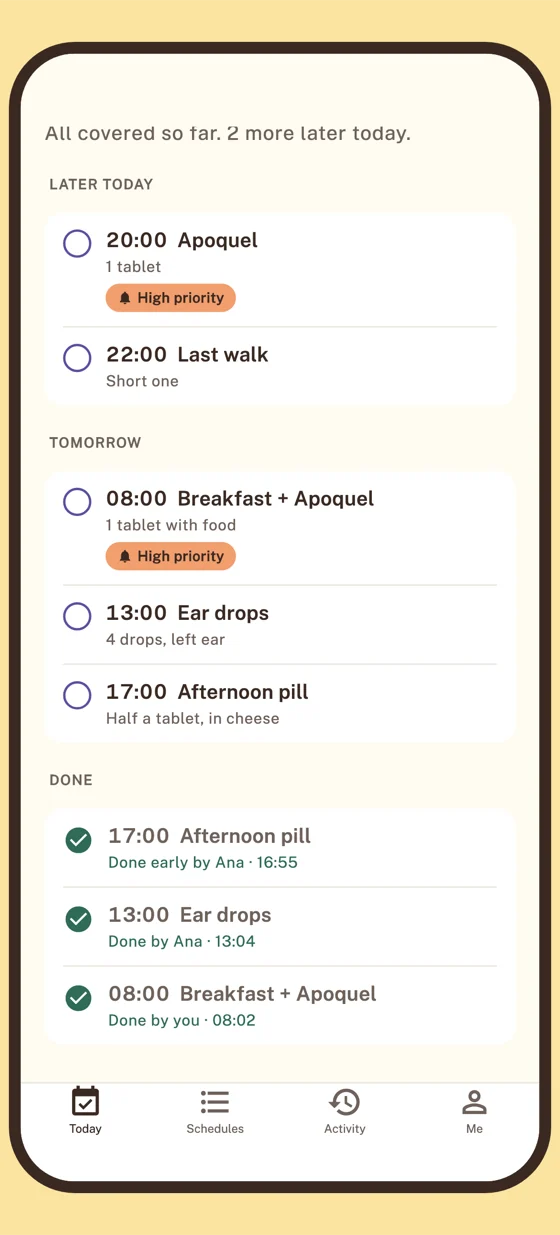
Everything today was covered between you.
After 22:00 the notes get shorter and plainer. Today and Activity keep the whole day, so nobody has to ask.
Just you is fine
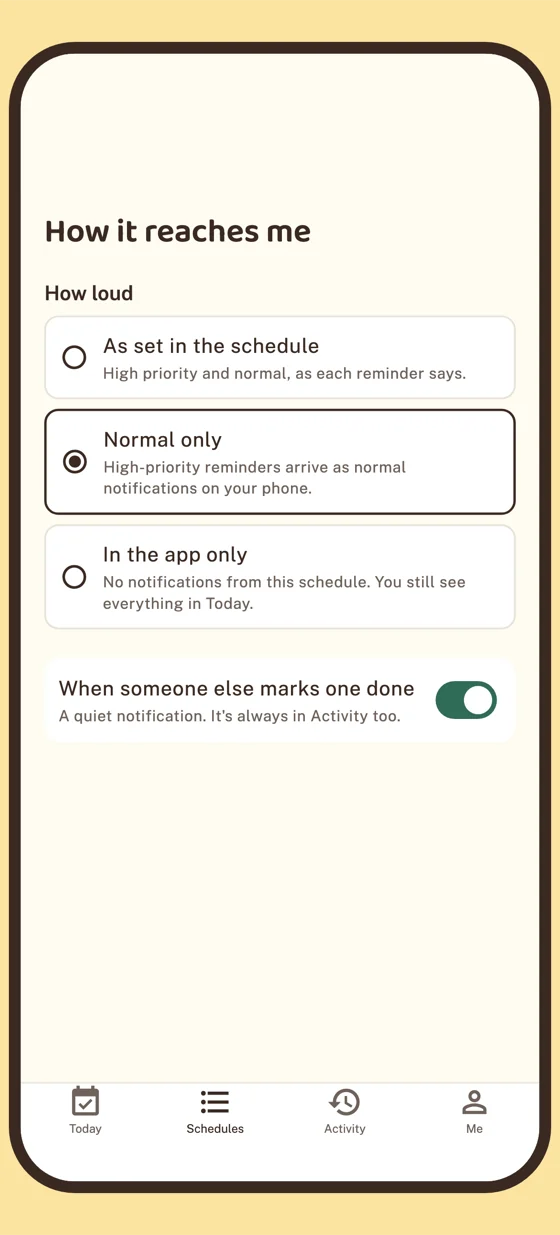
Not everyone has an Ana. Samebell works the same on one phone: the reminder rings, you tap Done, and Today shows what's left. Plants, bins, the cat's flea drops, your own morning routine.
When someone wants in, open People and send them a link. It works once and expires in 7 days. Until then, nobody else sees your schedules.
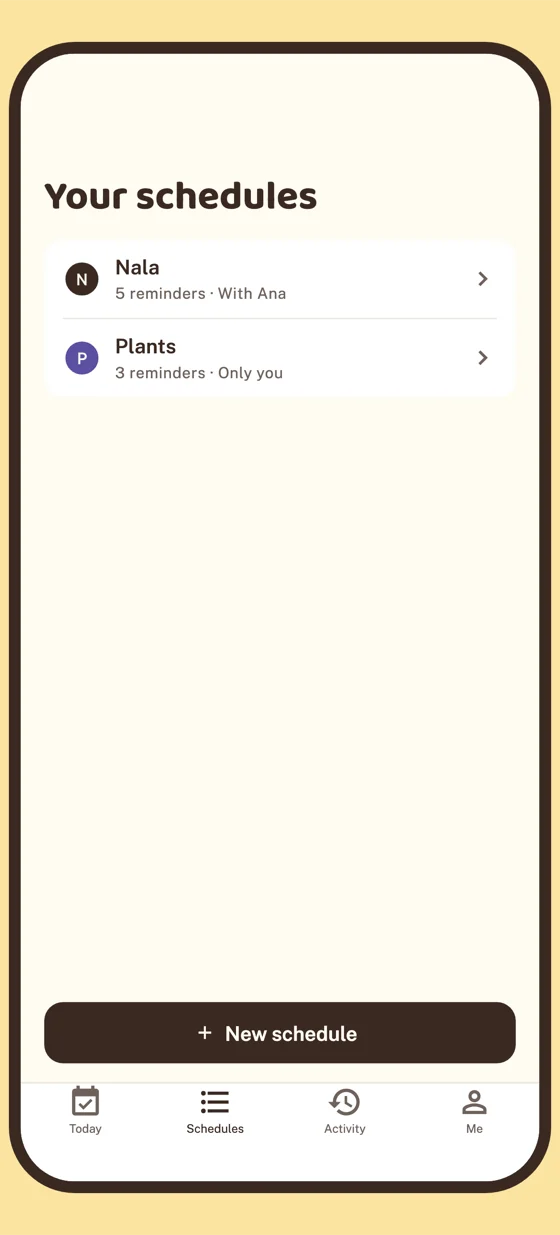
It starts with one question
Who are you looking after? Pick one and Samebell suggests reminders to start with. Change the times, add your own, or start from scratch.
- Pick who it's for. It becomes the schedule’s name, like “Nala”.
- Tick the reminders you need. Tap a time to change it. The title and description both show on the notification.
- Let it ring. Allow notifications, and each phone rings on its own at the times in the schedule.
- Invite someone, if you like. Now, later, or not at all.
Loud for Sam, quieter for Ana
Everyone in a schedule gets the same reminders. Each person picks how loud that schedule is on their own phone, and nobody else's settings change.
- High priority can get through Focus, for the reminders that matter most.
- Done from the notification. No need to open the app.
- Not happening this time? Stop a reminder once. Other days stay as they are.
- No signal? What you mark is saved and sent when you're back online.
- Private. Only the people you invite see a schedule. No ads, nothing sold.

We got it under control.
Samebell is free. Get it on the App Store for iPhone or on Google Play for Android.